Today
Your day,
at a glance.
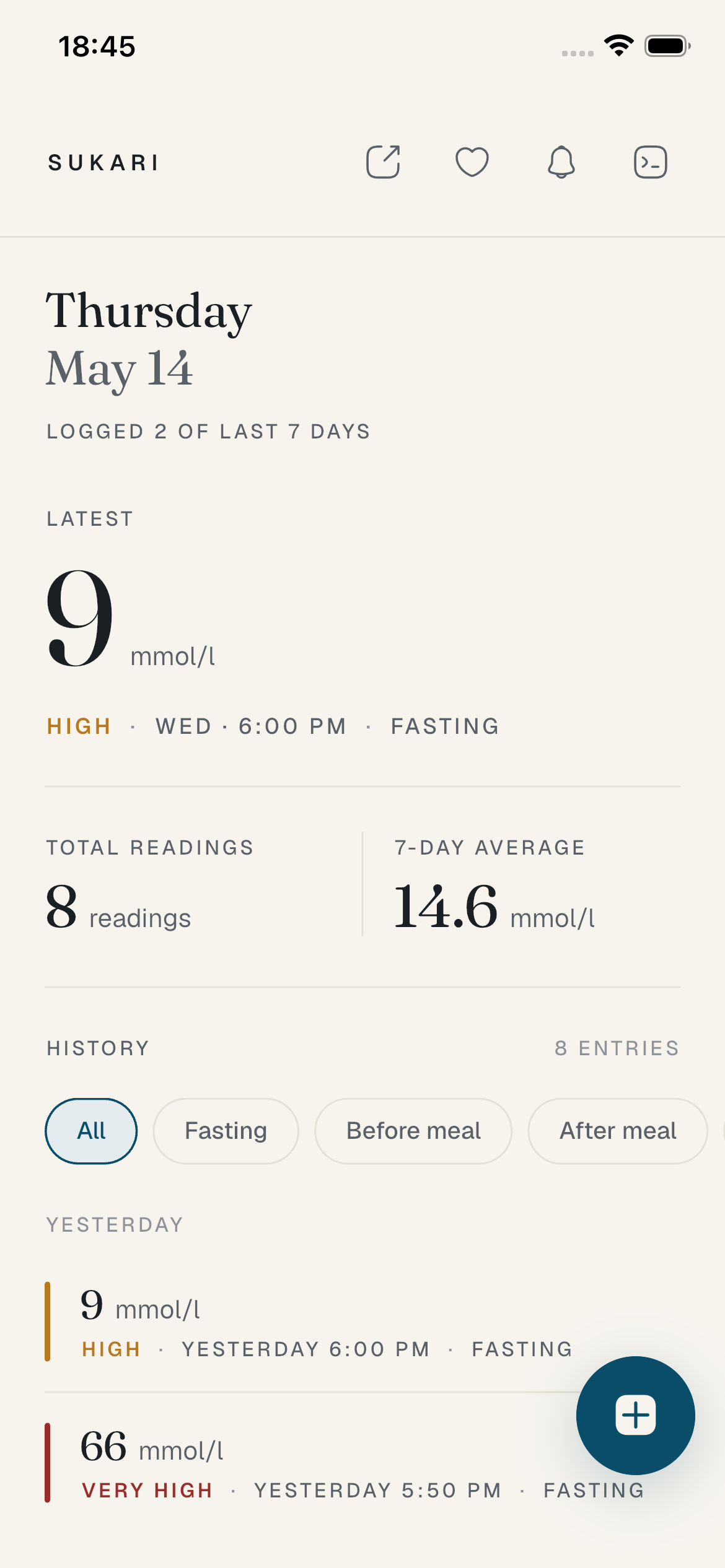
The latest reading takes centre stage in a serif so big you can read it from across the room. Seven-day average, time in range, and the day's history all in one calm scroll.
Sukari is a quiet place for your blood glucose readings — designed to be read like a journal, not a dashboard. Local-first, Apple Health-aware, doctor-ready.
What Sukari does
No accounts. No ads. No cloud. Just your data, on your device, in a notebook that's actually pleasant to use.
Today
The latest reading takes centre stage in a serif so big you can read it from across the room. Seven-day average, time in range, and the day's history all in one calm scroll.
New entry
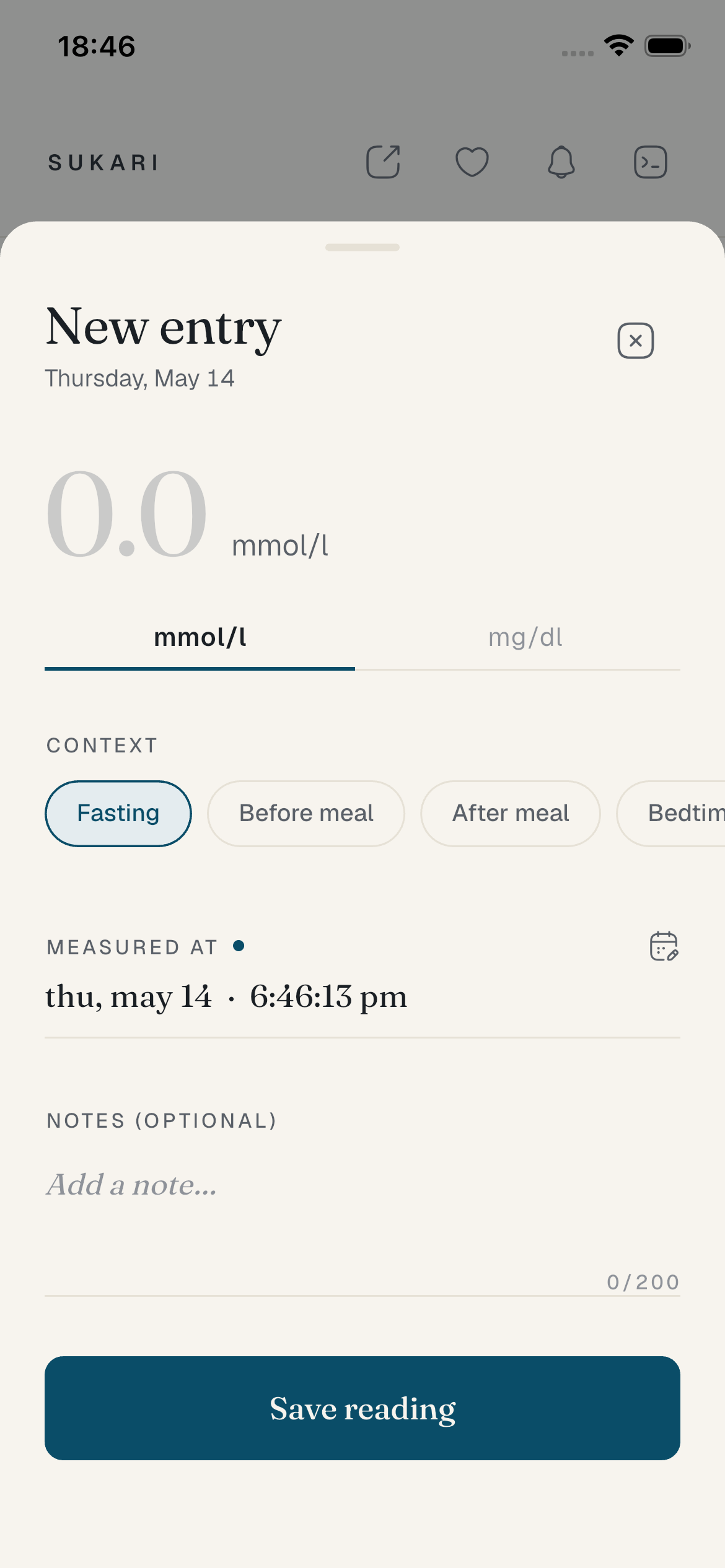
Type the number. Tag the moment — fasting, before a meal, after, bedtime. Save. Sukari remembers your last context and the clock keeps ticking until you commit.
Reminders
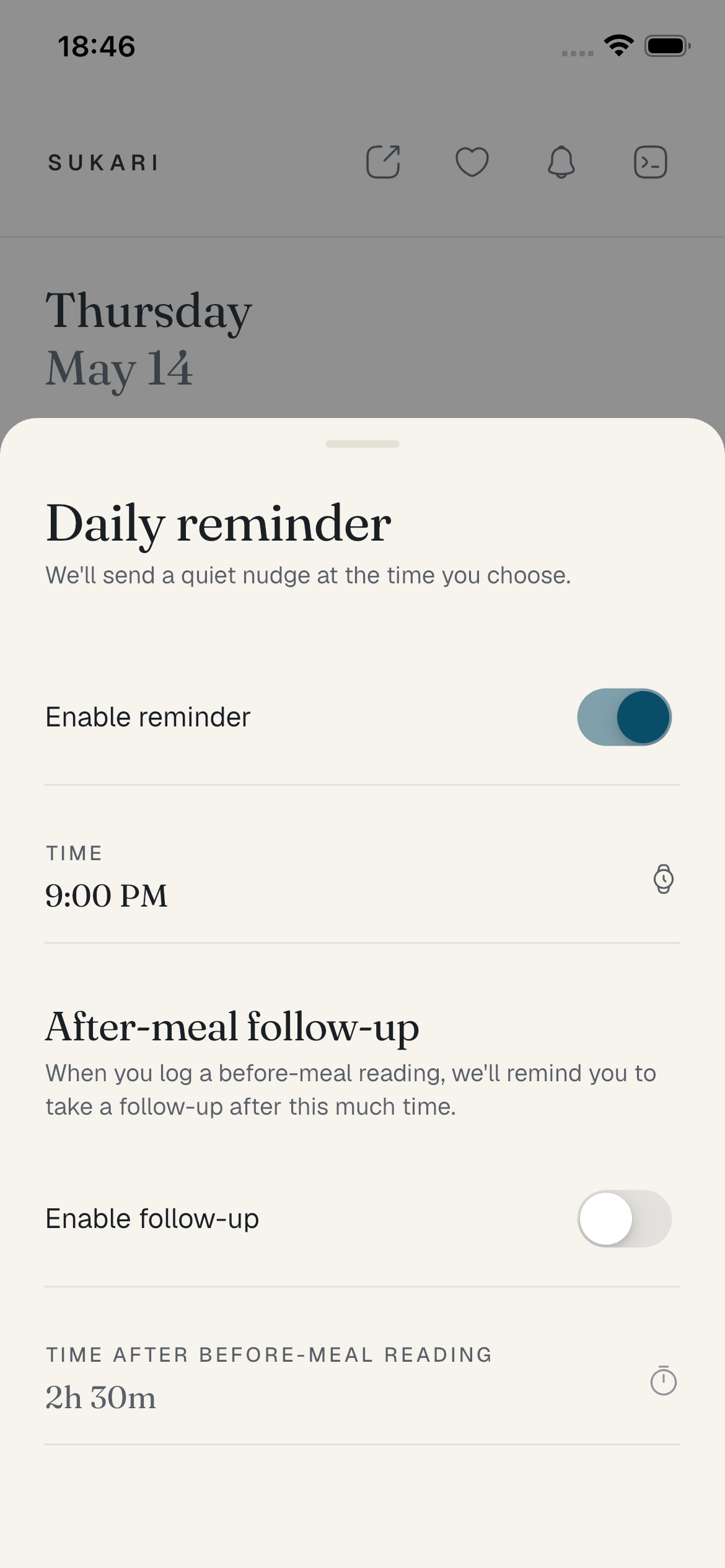
Set a time. Sukari reminds you to log — once a day, nothing more. Before-meal readings can trigger an after-meal follow-up two hours later. No streaks, no shame.
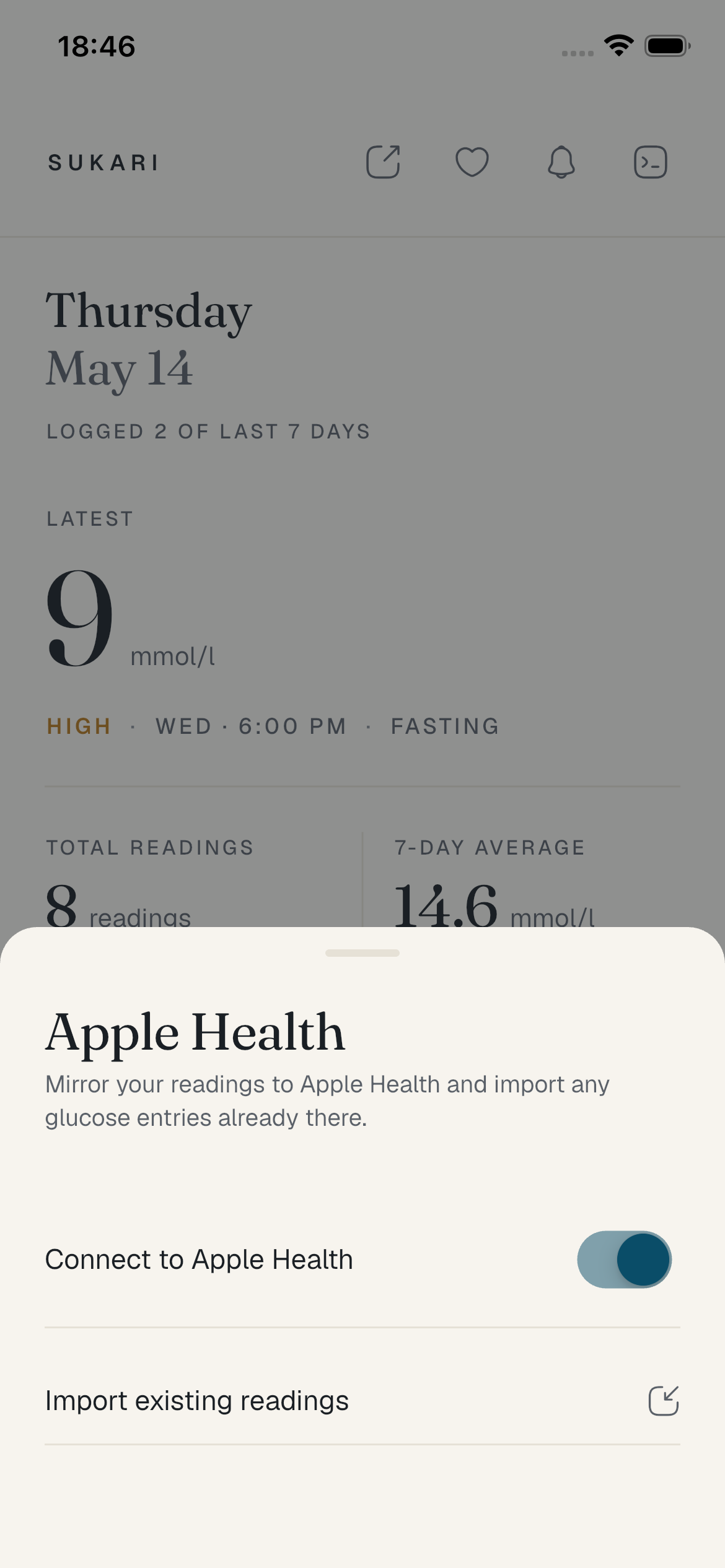
Apple Health
Mirror every reading you save into Apple Health automatically. Backfill your existing local readings into Health on first connect. Your clinician and other health apps see everything.
Privacy policy
Sukari is a local-first mobile app for logging blood glucose readings. We — the developers — do not collect, transmit, store, sell, or analyse any personal information or health data. Sukari has no backend servers and no user accounts.
Every reading you create lives in a private SQLite database on your device. The database is sandboxed by iOS or Android and not accessible to other apps. Sukari also stores small user preferences locally — such as your reminder time and last-used reading context — using the operating system's secure preferences API.
If you enable Apple Health integration, Sukari reads blood glucose entries from HealthKit on your device and writes the readings you save to HealthKit. All transfer happens on-device through Apple's HealthKit API. No reading ever leaves your device through Sukari. You can revoke Sukari's HealthKit access at any time in iOS Settings → Health → Data Access & Devices → Sukari.
If you enable reminders, Sukari schedules local notifications using the system notification framework. These are generated and delivered on your device. No third party (including the developer) receives your reminder schedule or content.
If you tap Share, Sukari generates a CSV or PDF of the readings you have on screen and hands it to the operating system's standard share sheet. You choose where it goes — AirDrop, Mail, Messages, Files, etc. Sukari never uploads exported files anywhere.
Sukari contains no third-party analytics SDKs, no advertising SDKs, and no trackers. No data is sent to the developer's servers because there are no developer servers.
Sukari is suitable for all ages. We do not knowingly collect data from anyone, including children under 13.
If we change anything material we will update this page and the "Last updated" date above. Continued use of the app after a change constitutes acceptance.
Email samuelkchris@gmail.com.
Support
Sukari is built by a small team. If something is broken, confusing, or just not as good as it could be — tell us. We answer within a couple of working days.
Does Sukari work offline?
Yes — Sukari is local-first. It does not require a network
connection to log readings, edit them, view history, set reminders,
or export.
What happens to my data if I delete the app?
All of it is deleted. Sukari stores everything in the app's private
sandbox. Uninstalling the app removes the database. Export to PDF or
CSV first if you want a copy.
Can I import readings from another app?
If those readings are in Apple Health, yes — connect Apple Health in
Sukari's settings and use "Import existing readings." Sukari will
pull all blood glucose entries Apple Health has access to.
Is Sukari a medical device?
No. Sukari is a logging and journaling tool. Always work with your
healthcare provider on treatment decisions. The classification
ranges in Sukari (low < 4.0 mmol/L, normal 4.0–7.7, high 7.8–11.0,
very high ≥ 11.1) reflect general clinical guidance; your own
targets may differ.
Why is the app so quiet?
Because diabetes management is daily and lifelong, and we believe
tools you use every day should feel like instruments, not games.